
Razer DeathAdder Essential Review
Our Razer DeathAdder Essential review looks at this classic ergonomic shape, the 6,400-DPI optical sensor, switch durability, and everyday gaming performance. We compare it with other budget mice to see if it’s still the best cheap Razer mouse you can buy.
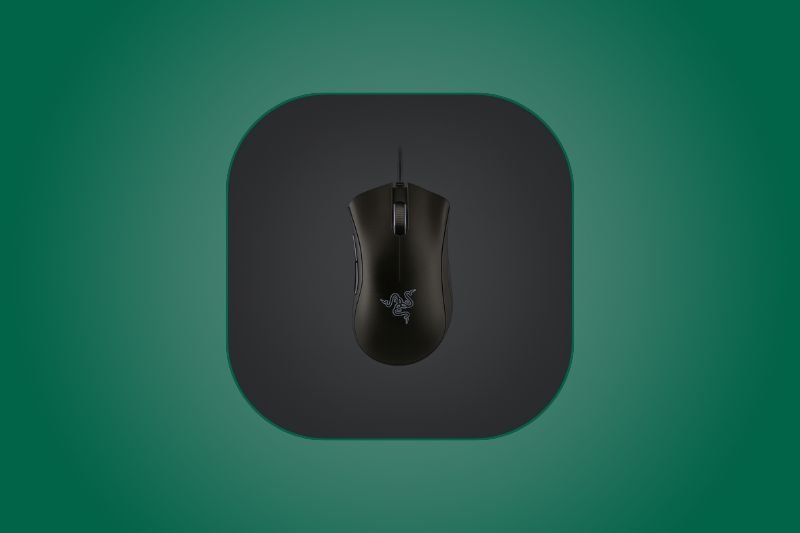
- Sensor: 6,400-DPI optical
- Buttons: 5 programmable
- Weight: ~96 g
- Polling: 1000 Hz (wired)
- Connection: USB (wired)
- Best for: Budget FPS & MOBA comfort
Affiliate Disclosure: We may earn a commission when you buy via links on our site, at no extra cost to you.
Pros
- Classic ergonomic shell is very comfortable for medium-to-large hands
- Smooth, consistent tracking from the 6,400-DPI optical sensor
- Great value price; easy recommendation for first gaming mouse
- Dependable primary clicks; switches rated 10M+ actuations
- Simple setup — plug-and-play with optional Synapse tuning
Cons
- Wired only; rubber cable is stiffer than modern paracords
- No onboard memory; custom DPI/macros require Synapse running
- Green logo only (no per-key RGB)
- Heavier than ultra-light competitors; not ideal for low-effort flicks
Key Takeaways
- If you want an affordable ergonomic mouse that “just works,” this is it.
- Excellent for casual FPS and MOBA; competitive players may want a lighter, higher-spec sensor.
- Synapse adds macros/DPI steps, but there’s no onboard profile storage.
Design & Comfort
The DeathAdder Essential keeps the silhouette that made the series famous: a tall back hump that fills the palm, soft inward thumb groove, and well-spaced side buttons. It’s a natural fit for palm grip on medium to large hands and works for relaxed claw grip too. The matte shell resists smudges and the rubberized scroll wheel has positive, well-spaced steps for weapon switching.
Sensor & In-Game Performance
The 6,400-DPI optical sensor isn’t headline-grabbing, but it’s consistent. Tracking is smooth across common CPI ranges (400–1600) with stable 1000 Hz polling. In CS2 and Valorant, micro-adjustments feel predictable; there’s no noticeable jitter or angle snapping at sensible settings. Fast flicks are a touch more effort than on ultra-light mice, but the stable base helps precision on diagonal micro-corrections.
Cable, Glide & Build
At ~96 g, it’s lighter than many budget alternatives but heavier than modern featherweights. The stock PTFE feet glide fine on cloth pads; upgrading your pad has more impact than swapping feet here. The rubber cable is the one compromise — use a bungee to keep it lifted and reduce drag. Primary switches are rated beyond 10 million clicks and feel crisp without being too stiff.
Software & Customization
Razer Synapse unlocks DPI staging, button remaps, and macros. There’s basic lighting control for the green logo. Note that the Essential lacks onboard memory, so custom settings rely on Synapse being installed and running. For LANs or shared PCs, that’s a trade-off to know about.
Alternatives & Value
If you like the DeathAdder shape but want more features, the pricier DeathAdder models add better sensors, lighter shells, and RGB. Prefer something ultra-light in the same price band? Watch for sales on entry-level honeycomb mice. But for a trusted shape, solid tracking, and minimal fuss at a low price, the Essential remains a budget staple.
FAQs
Is the DeathAdder Essential good for FPS?
Yes. The optical sensor tracks consistently at common FPS sensitivities (400–1600 DPI) with stable 1000 Hz polling. It’s not an esports flagship, but it’s very capable for budget buyers.
Which grip styles does it suit?
Best for palm grip on medium/large hands; also works for relaxed claw. Fingertip users typically prefer lower, shorter shells.
Does it have onboard memory?
No. Remaps and DPI stages are applied via Razer Synapse; keep it running to use your custom profile.
How flexible is the cable?
It’s a standard rubber cable. A mouse bungee helps lift it off the pad and reduces drag significantly.
Final Verdict – Razer DeathAdder Essential Review
The Razer DeathAdder Essential delivers the legendary DeathAdder comfort and reliable tracking at an entry-level price. If you want a simple, comfortable mouse for FPS, MOBAs, and everyday gaming without breaking the bank, it’s one of the easiest recommendations you can make.
Check Price on Amazon
Pingback: Logitech G600 Review
Pingback: Logitech G402 Hyperion Fury Review (2025) – FPS Gaming Mouse