Best Budget Gaming Laptops Under $1500 – 2025
Three value-focused gaming laptops you can find on Amazon UK for under $1500. Expect smooth 1080p gaming, high-refresh displays, and sensible thermals—without the premium tax.
Top 3 Budget Picks
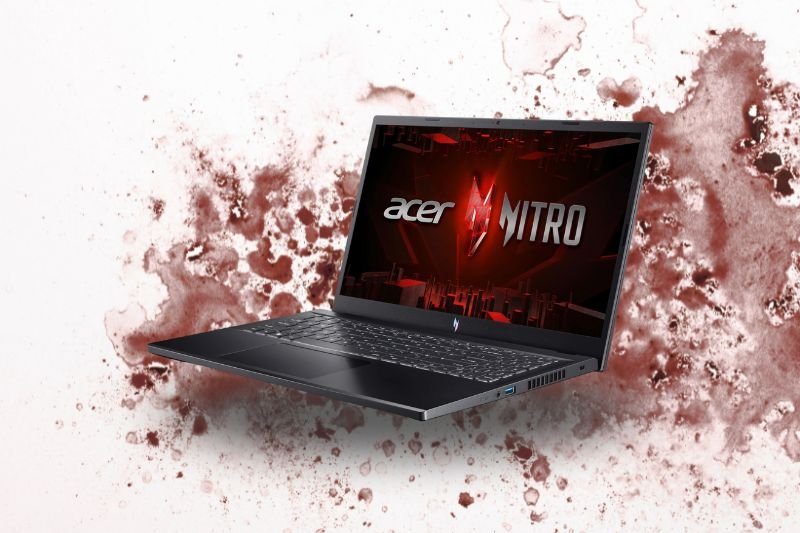
Acer Nitro V15 ANV15-51 (RTX 5050, 165Hz)
- Intel Core i7-13620H + RTX 5050
- 16GB RAM / 512GB SSD
- 15.6″ Full HD 165Hz
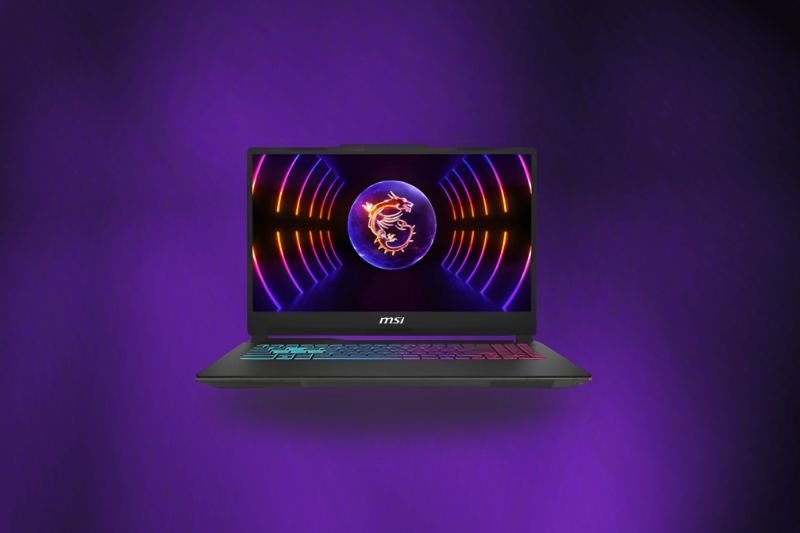
MSI Cyborg 15 (Ultra 7 + RTX 4050)
- Intel Core Ultra 7 155H + RTX 4050
- 16GB RAM / 512GB SSD
- 15.6″ Full HD, modern efficiency
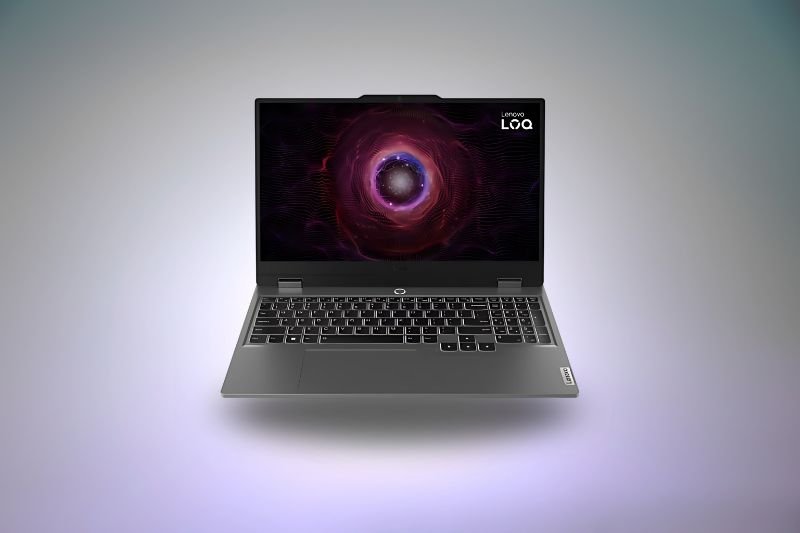
Lenovo LOQ 15 (i5-12450HX + RTX 3050)
- 24GB RAM / 1TB SSD (room to grow)
- 15.6″ Full HD
- Great value for mixed use
Quick Comparison
| Laptop | GPU | CPU | Display | Memory / Storage | Why Pick It | |
|---|---|---|---|---|---|---|
| Acer Nitro V15 ANV15-51 | GeForce RTX 5050 | Core i7-13620H | 15.6″ FHD 165Hz | 16GB / 512GB SSD | Fast refresh + new-gen RTX 50-series entry GPU at a sharp price. | Amazon |
| MSI Cyborg 15 | GeForce RTX 4050 | Core Ultra 7 155H | 15.6″ FHD (high-refresh) | 16GB / 512GB SSD | Modern hybrid CPU + RTX 4050 for excellent 1080p esports/AAA. | Amazon |
| Lenovo LOQ 15 | GeForce RTX 3050 | Core i5-12450HX | 15.6″ FHD | 24GB / 1TB SSD | Big RAM/SSD out of the box; great everyday machine with light gaming. | Amazon |
Acer Nitro V15 ANV15-51 — Best Overall Value
The Acer Nitro V15 ANV15-51 pairs Intel’s Core i7-13620H with an RTX 5050, a 15.6″ Full HD 165Hz panel, and a practical 16GB/512GB configuration. At this price, the 165Hz refresh is a genuine win—motion clarity feels snappy in shooters and racing games, and DLSS helps the RTX 5050 hold smooth 1080p frame rates on modern titles with sensible settings.
Build is budget-minded (plastic shell), but the keyboard is comfortable and the cooling solution is adequate for long sessions if you keep the rear and underside vents clear. Speakers and colour accuracy are merely OK—pair it with a good headset and, if you care about colour-sensitive work, an external monitor. As a daily driver plus gaming rig, the Nitro V15 is the most balanced option here.
Best for: buyers who want the most “no-surprises” gaming experience under $1500 and value the 165Hz panel.
MSI Cyborg 15 — Modern CPU Punch + RTX 4050
The MSI Cyborg 15 combines Intel’s efficient Core Ultra 7 155H with an RTX 4050 graphics chip—an excellent pairing for 1080p esports and mainstream AAA with upscaling enabled. The Cyborg line is known for its translucent aesthetic, a comfortable layout, and a cooling design that keeps noise in check under typical gaming loads.
You’re getting a nimble system that feels quick in Windows, handles streaming and light editing, and plays competitive titles at high refresh. As with most budget rigs, the 512GB SSD fills up fast—consider adding a second NVMe drive later. If you want the strongest pure-gaming option on this list and don’t need huge internal storage on day one, the Cyborg 15 is a standout.
Best for: competitive gamers who prioritise higher GPU headroom (RTX 4050) and a modern hybrid CPU.
Lenovo LOQ 15 — Big RAM/SSD, Light Gaming
This Lenovo LOQ 15 SKU leans into everyday versatility: 24GB RAM and a 1TB SSD make multitasking, large game installs, and coursework feel effortless. The Core i5-12450HX is a capable high-power chip, and while the RTX 3050 isn’t as fast as the 4050/5050, it still plays competitive and older AAA titles well at 1080p with tuned settings.
Lenovo’s LOQ chassis is plain but sturdy, with a comfortable keyboard and straightforward serviceability for future upgrades. If you want lots of memory and storage from day one and only need light-to-moderate gaming performance, this configuration is terrific value.
Best for: students and creators who value RAM/SSD capacity and play esports or lighter games on the side.
FAQs – Budget Gaming Laptops
Is an RTX 3050 still okay in 2025?
Yes for esports and older/less demanding games at 1080p with tuned settings. For heavier modern titles, RTX 4050 or RTX 5050 GPUs offer a clearer upgrade path.
How important is a 144–165Hz display?
It’s a big quality-of-life upgrade over 60Hz. Even at medium settings, high refresh improves motion clarity, aiming precision, and overall responsiveness.
Should I prioritise RAM or GPU for gaming?
The GPU impacts frame rates more. Aim for at least 16GB RAM (dual-channel), then choose the fastest GPU you can within budget.
Can I upgrade storage and memory later?
Most budget gaming laptops support M.2 SSD upgrades and RAM swaps. Check your exact SKU and keep screws/warranty terms in mind when opening the chassis.
How long will the battery last?
Expect 4–6 hours of light use (web, docs) for this class. For gaming, plug in to unlock full performance and steady GPU clocks.
Do I need to undervolt or tweak profiles?
Not required, but using balanced/performance modes and keeping vents clear will help temperatures and fan noise during long sessions.