
Gigabyte M27UA Review
Our Gigabyte M27UA review looks at its sharp 4K panel, fast 160 Hz refresh, low input lag, and creator-friendly features like USB-C and KVM. We test gaming motion clarity, color accuracy, HDR, and overall value.
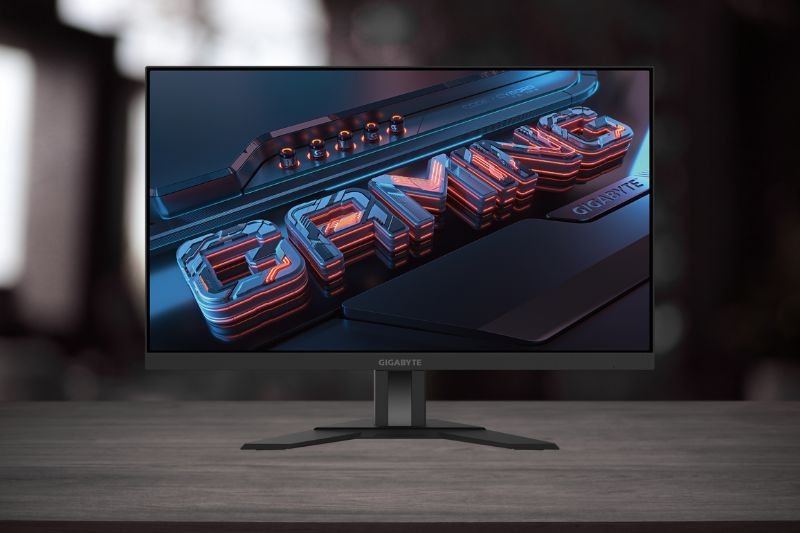
- Size: 27″
- Resolution: 3840×2160 (4K UHD)
- Refresh Rate: up to 160 Hz
- Panel: IPS, ~1 ms MPRT
- Features: USB-C (DP Alt), KVM, VRR, HDR
- Best for: 4K gaming, streaming & creation
Affiliate Disclosure: We may earn a commission when you buy via links on our site, at no extra cost to you.
Pros
- 4K clarity with up to 160 Hz for crisp, smooth gameplay
- Low input lag and responsive overdrive at high refresh
- USB-C with KVM for laptop/desktop switching
- Wide-gamut IPS with good factory modes for sRGB/DCI-P3
- HDMI 2.1/DP options for PC and current-gen consoles
Cons
- HDR is basic — limited peak brightness and no advanced dimming
- Needs a strong GPU to drive 4K at high frame rates
- Speakers are serviceable at best — headset/speakers recommended
Key Takeaways
- A rare combo of 4K detail and 160 Hz speed that suits gaming and work.
- Excellent day-to-day usability thanks to USB-C and KVM.
- HDR isn’t a selling point; buy it for SDR/VRR performance and sharpness.
Display Quality & Color
The 27-inch 4K IPS panel delivers pin-sharp text and detailed visuals with a wide color gamut for rich, accurate tones. Built-in sRGB/DCI-P3 modes help keep creative work consistent while preserving the punchy look gamers like.
Motion, Latency & Gaming
At up to 160 Hz with VRR, motion looks clean and responsive. Input lag is low, and the overdrive is tuned best at higher refresh rates where overshoot is minimal. Competitive players will still prefer 240 Hz for pure speed, but 4K 160 Hz is a superb balance.
Connectivity & KVM
USB-C (DisplayPort Alt Mode), HDMI 2.1, and DisplayPort cover modern GPUs and consoles. The integrated KVM lets you share one keyboard/mouse between two systems and swap with a click — ideal for creators or streamers juggling a laptop and PC.
HDR & Bright-Room Use
HDR playback works but doesn’t rival Mini-LED or OLED sets; expect modest highlights and contrast. In SDR, brightness is ample for typical rooms, and anti-glare handling keeps reflections in check.
FAQs
Is 4K at 160 Hz worth it?
If your GPU can push high frame rates at 4K (or you use resolution scaling), the M27UA gives you both sharpness and speed in one display.
Does the USB-C port charge laptops?
It supports video/data via DP Alt Mode for KVM workflows. Power delivery can vary by region/revision — treat it as a display/data port first.
How good is it for consoles?
Great for PS5/Xbox at 4K 120 Hz with HDMI 2.1. You won’t hit 160 Hz on consoles, but VRR and sharp 4K make a strong showing.
Final Verdict – Gigabyte M27UA Review
The Gigabyte M27UA nails the hybrid brief: 4K fidelity for work and creation, plus high-refresh fluidity for play. HDR is basic and you’ll want GPU headroom, but for an all-round 27″ 4K gaming monitor, it’s an easy recommendation.
Check Price on Amazon