
Dell U4025QW Review: Immersive Ultrawide Monitor
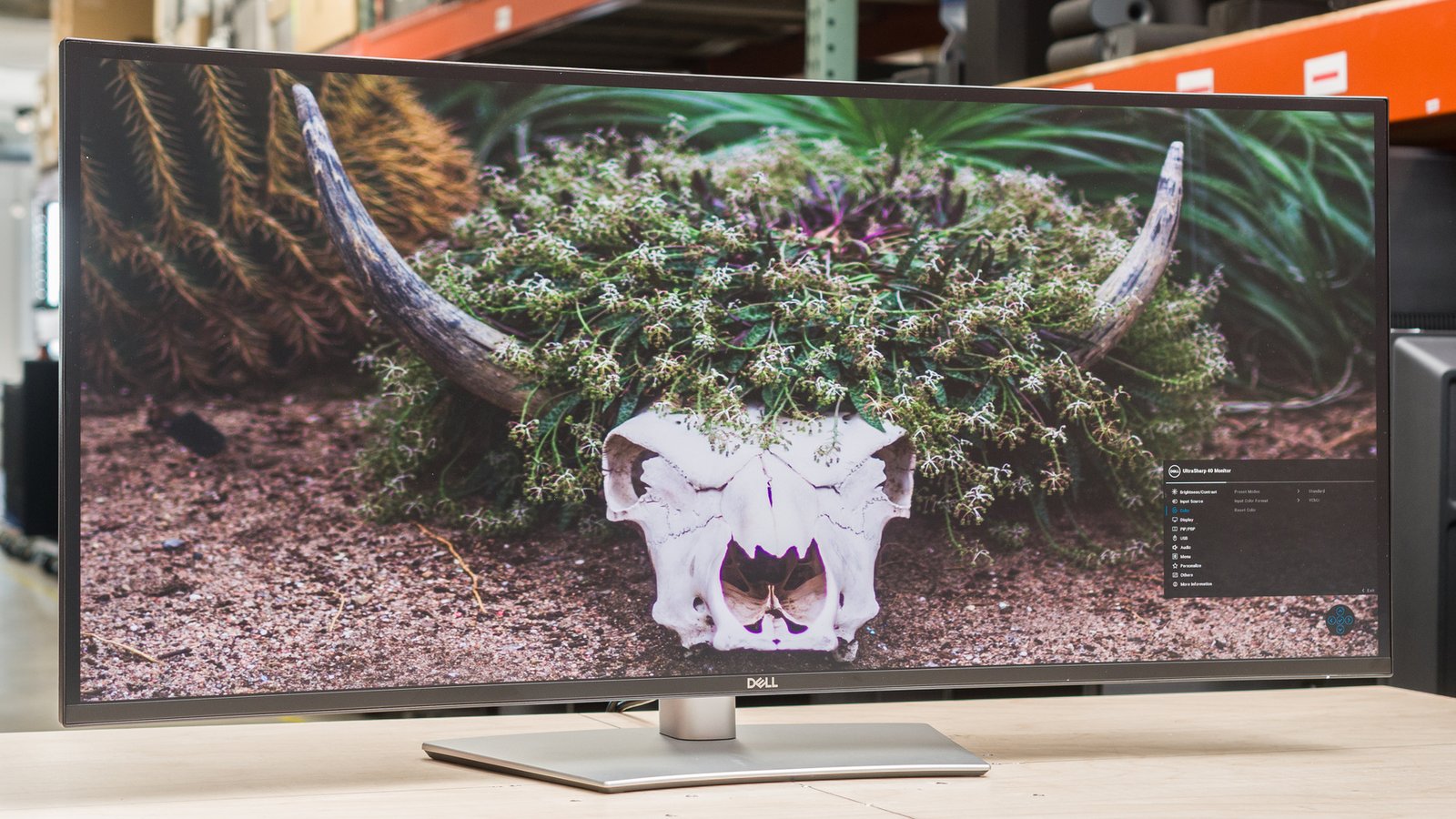
The Dell U4025QW is an ultrawide monitor that caters to professionals and gamers alike, offering an expansive 40-inch display with a 5K2K resolution. Ideal for multitaskers and content creators, this monitor tackles the challenge of screen real estate, providing ample space for productivity while delivering vibrant colors and sharp images for an engaging viewing experience.
- Screen Size: 40 inches
- Resolution: 5120 x 2160 (5K2K)
- Refresh Rate: 60 Hz
- Panel Type: IPS
- Key Feature: USB-C Connectivity
| Key Specifications | |
|---|---|
| Screen Size | 40 inches |
| Resolution | 5120 x 2160 (5K2K) |
| Refresh Rate | 60 Hz |
| Panel Type | IPS |
| Response Time | 5 ms |
| Brightness | 300 nits |
In This Review
Overview & Key Features
The Dell U4025QW is designed for those who require a large screen for work or immersive gaming. With its 40-inch IPS panel, it provides excellent color accuracy and wide viewing angles, making it suitable for creative tasks such as photo editing and graphic design. Additionally, the monitor’s impressive 5120 x 2160 resolution ensures that images and text appear sharp and clear, enhancing productivity. A standout feature is its USB-C connectivity, allowing for easy connection to laptops and other devices, which simplifies cable management and workspace organization.
Performance & User Experience
In terms of performance, the Dell U4025QW excels in various scenarios. Its 60 Hz refresh rate is sufficient for general use and casual gaming, though hardcore gamers might prefer higher refresh rates. The 5 ms response time minimizes motion blur, ensuring smoother visuals during fast-paced action. Users have reported that the monitor’s color reproduction is impressive, with 98% DCI-P3 coverage, making it ideal for video editing and content creation. The built-in KVM feature allows users to switch between multiple devices seamlessly, enhancing its usability for multitasking.
While the monitor’s brightness of 300 nits is adequate for indoor use, it may struggle in very bright environments. Additionally, some users might find the lack of built-in speakers a drawback, as external speakers or headphones are necessary for audio. Overall, the U4025QW provides an excellent user experience for both work and leisure.
Comparison
When compared to competitors like the ASUS ROG Swift OLED PG32UCDM and the Dell Alienware AW3425DW, the Dell U4025QW holds its ground with a unique blend of features. While the ASUS monitors focus on gaming with faster refresh rates and OLED technology, the U4025QW’s ultrawide format and USB-C capabilities make it stand out for productivity and content creation. The Alienware AW3425DW offers similar ultrawide dimensions but lacks the high pixel density and color accuracy that the U4025QW provides.
Looking for more options? Check out our best gaming monitors.
Pros & Cons
- Stunning 5K2K resolution
- Excellent color accuracy
- USB-C connectivity
- Ample screen real estate
- Built-in KVM switch
- Limited refresh rate
- Average brightness
- No built-in speakers
FAQ
Is the Dell U4025QW suitable for gaming?
Yes, it offers good performance for casual gaming, but competitive gamers may prefer faster refresh rates.
What is the best use for this monitor?
It's ideal for multitasking, creative work, and immersive media consumption.
Does it support HDR?
Yes, it supports HDR content for enhanced color and contrast.
Can I connect multiple devices?
Yes, the built-in KVM switch allows easy switching between devices.
Final Verdict
The Dell U4025QW is an impressive ultrawide monitor that excels in productivity and multimedia. It's best suited for professionals and content creators who need high resolution and color accuracy, while gamers may find the refresh rate limiting. For those looking to enhance their workspace or gaming setup, checking current pricing is recommended.